Product Design, Internal Tools / SaaS, Information Architecture
Matchday Admin: Internal Tools for Global Operations
In a high-growth startup environment, the speed of external product launches is often bottlenecked by the efficiency of internal operations. During my time at Matchday, I identified a critical gap between our ambitious product roadmap and the manual, high-risk processes used by our internal teams to manage global live data. I spearheaded the transition from fragmented spreadsheets to a centralized, vertically integrated Admin Platform. This project wasn't just about interface design; it was about architecting a scalable foundation that allowed our operations, community, and engineering teams to manage a global user base of millions with precision and confidence.
IMPACT
90% ↓
Manual Data Entry Tickets
2× ↑
Content Velocity
+29 pts
D1 User Retention Lift
+10 pts
D7 User Retention Lift
Bi-weekly → Weekly
LiveOps Cadence
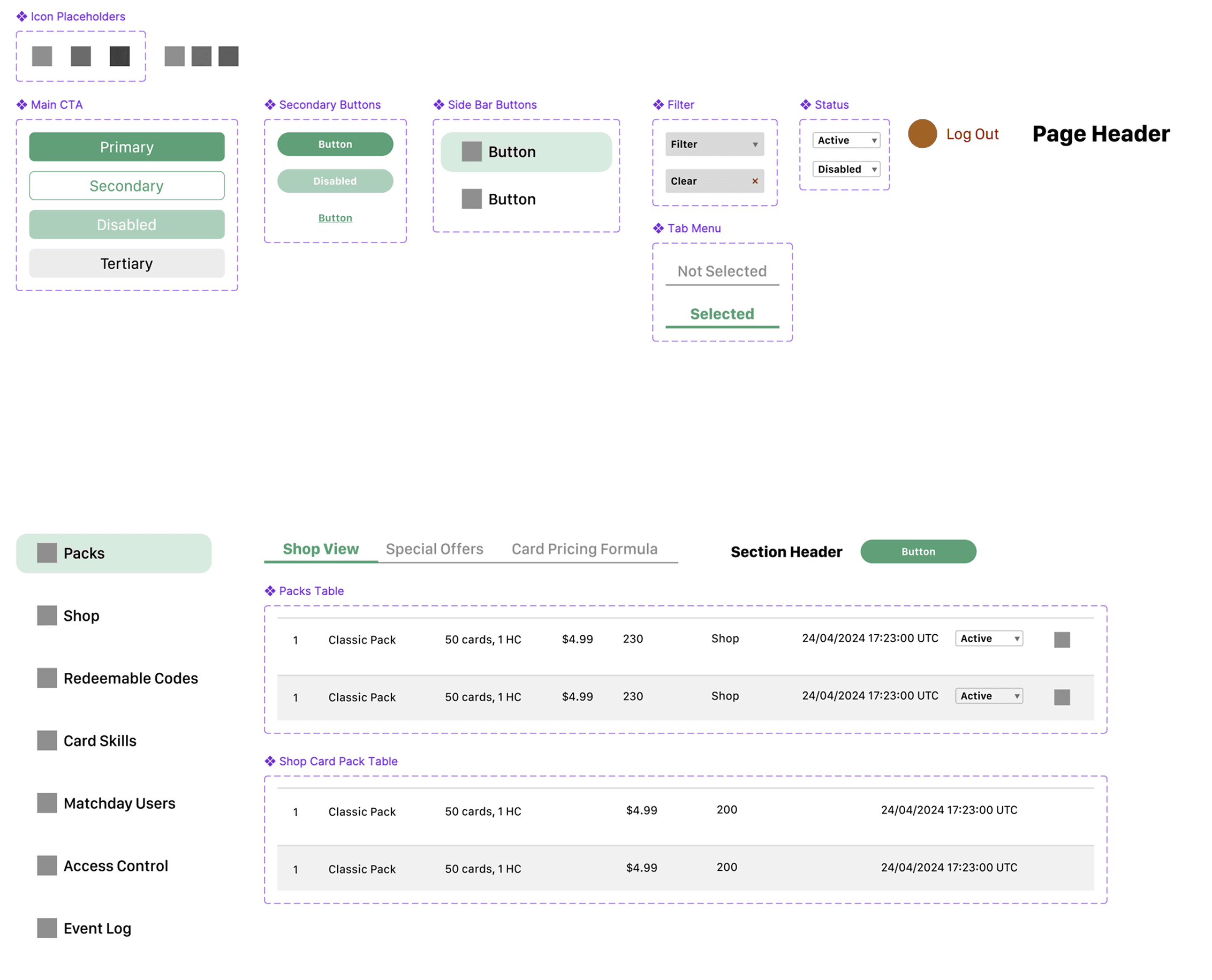
Atomic Design System
Power Scalable Expansion
Problem
As Matchday scaled to support millions of users, the internal team lacked a centralized system to manage live game data, user rewards, and platform governance. Operations were being handled through manual database entries and fragmented spreadsheets, creating a high risk for error and significant operational bottlenecks.
Role
As the Sole Product Designer, I partnered directly with Engineering and Product leads to define the information architecture, map multi-step administrative workflows, and deliver a high-fidelity component library in Figma that prioritized speed, accuracy, and technical feasibility.
Solution
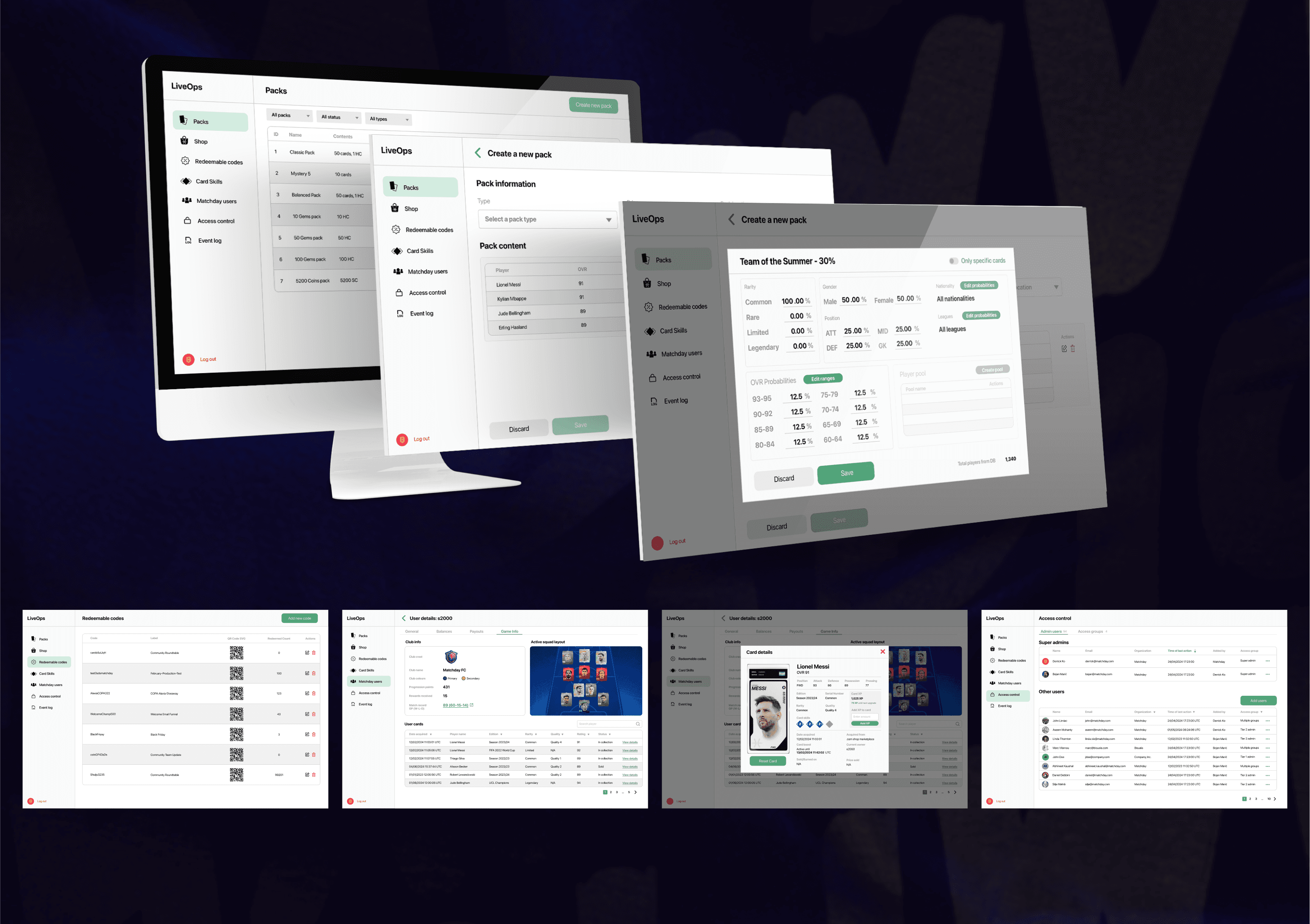
I led the end-to-end design of the Matchday Admin Platform, a robust internal ecosystem designed to empower non-technical stakeholders. By translating dense backend logic into an intuitive UI, I created a "command center" that allowed the product, community, and support teams to manage global live-event triggers and complex reward distribution in real-time.
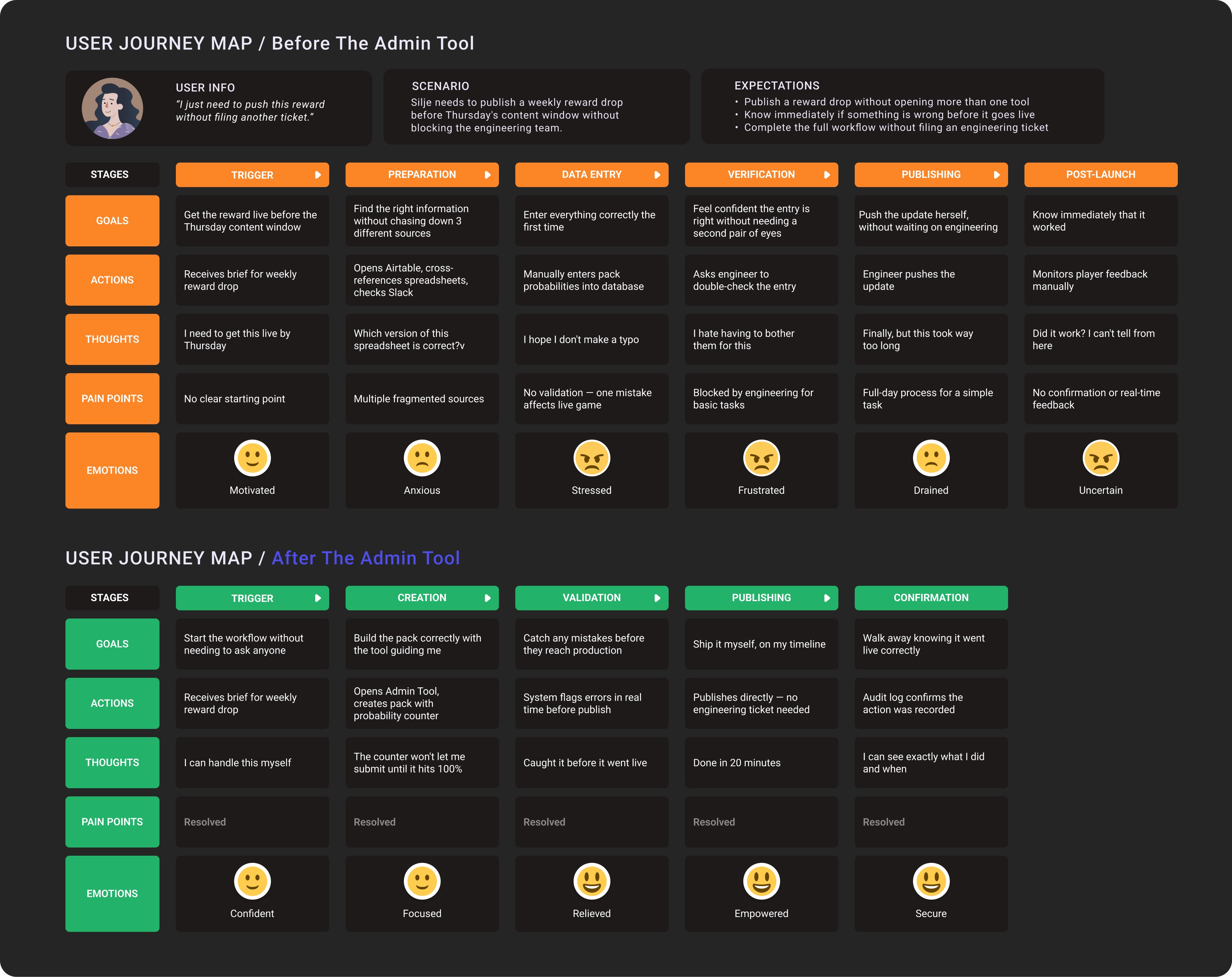
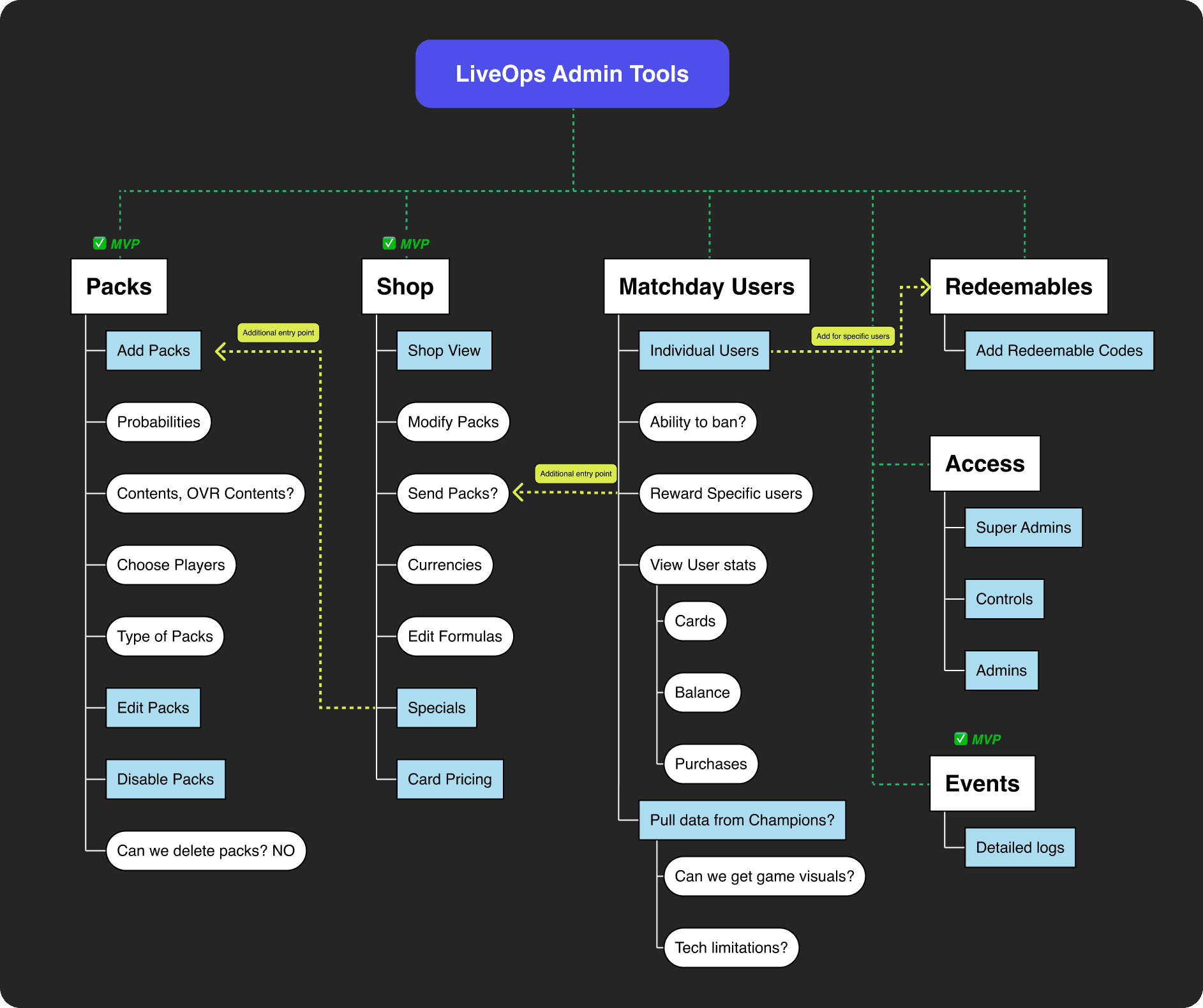
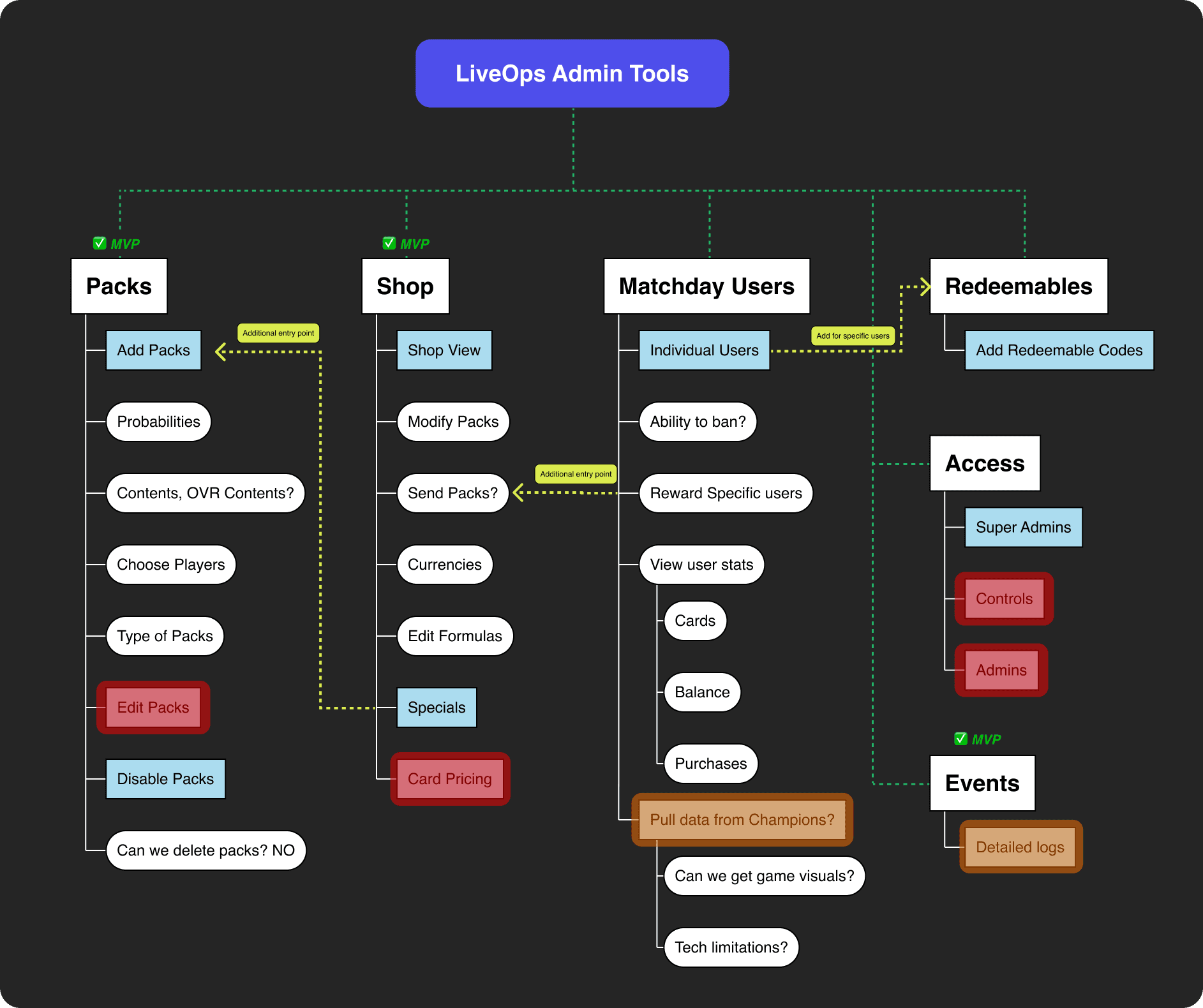
Method: Slack channel review, 1:1 interviews, and live workflow shadowing
Participants: Product, Community, and Engineering team members
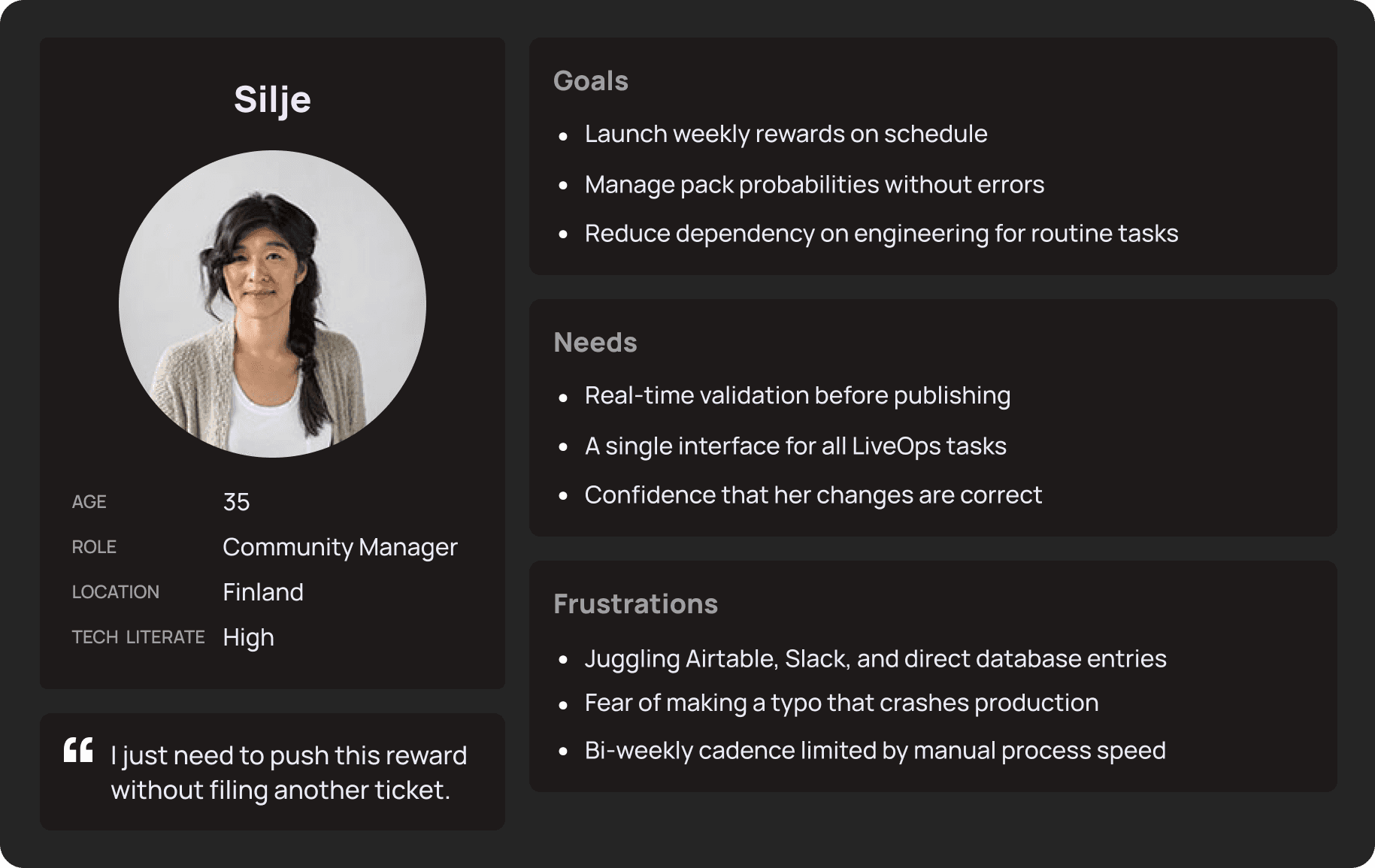
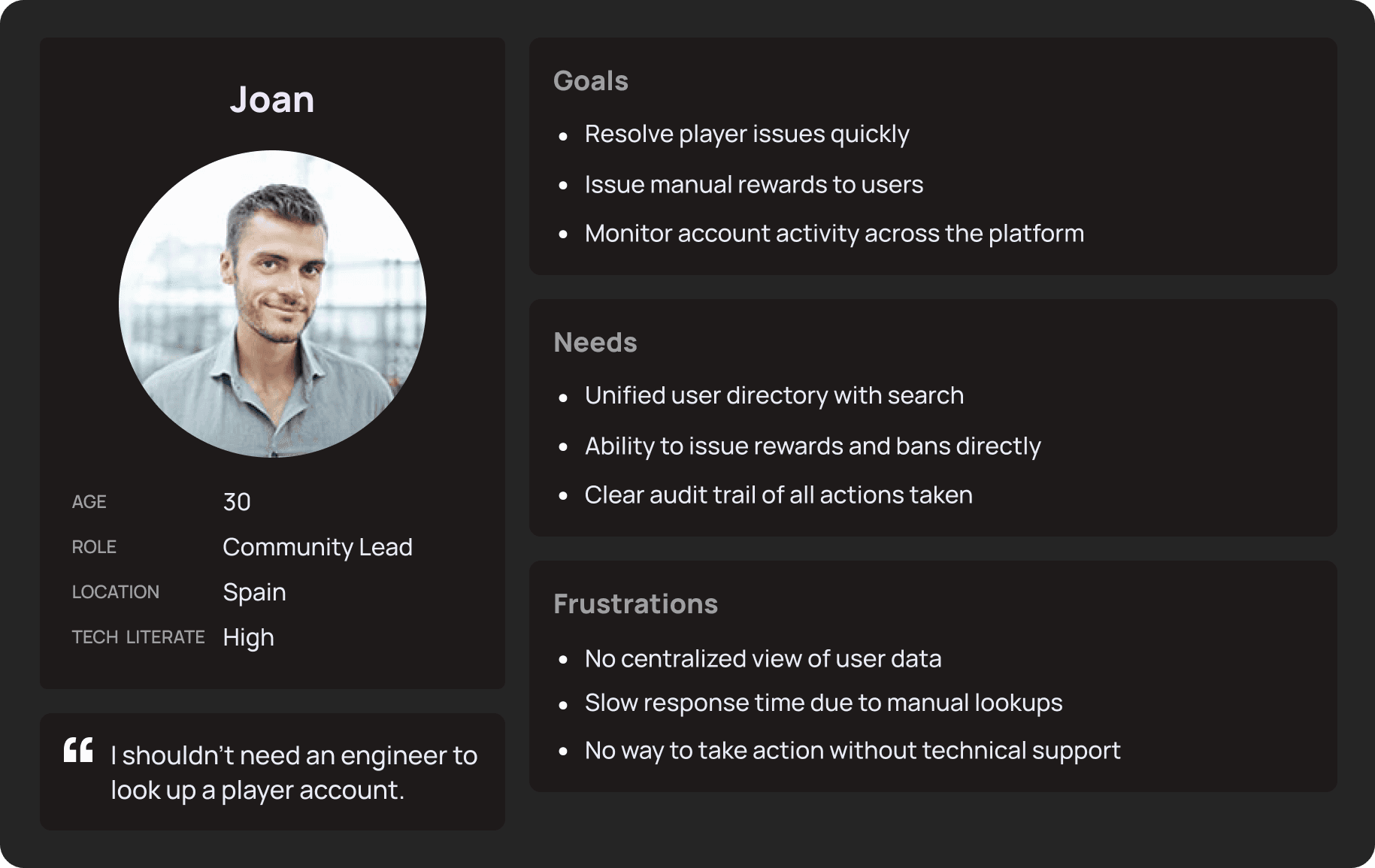
To build a tool that truly served the internal team, I shifted focus from technical requirements to the actual human experience of the operators. By shadowing LiveOps Managers and Community Leads and reviewing how work actually happened in Slack, the primary friction point became clear — it wasn't a lack of data, it was a lack of safety and efficiency in their existing workflows.
The Multi-tab problem: Operators were juggling Airtable, Slack, and direct database access to push a single update. I consolidated these fragmented steps into one unified interface.
Fear as a design signal: The most consistent theme in interviews was the fear of making a typo that would break the live store. That directly informed the decision to build validation guardrails into the core of the tool, not as an afterthought.
Clarifications happening in Slack, not the tool: Ops threads showed operators asking engineers basic questions mid-workflow because nothing in the existing process gave them confidence. Confirmation states and real-time feedback addressed this directly.
Engineering as a bottleneck: Every routine task required an engineering ticket. The goal became making the tool self-serve enough that ops could publish independently — which led to the 90% reduction in tickets.
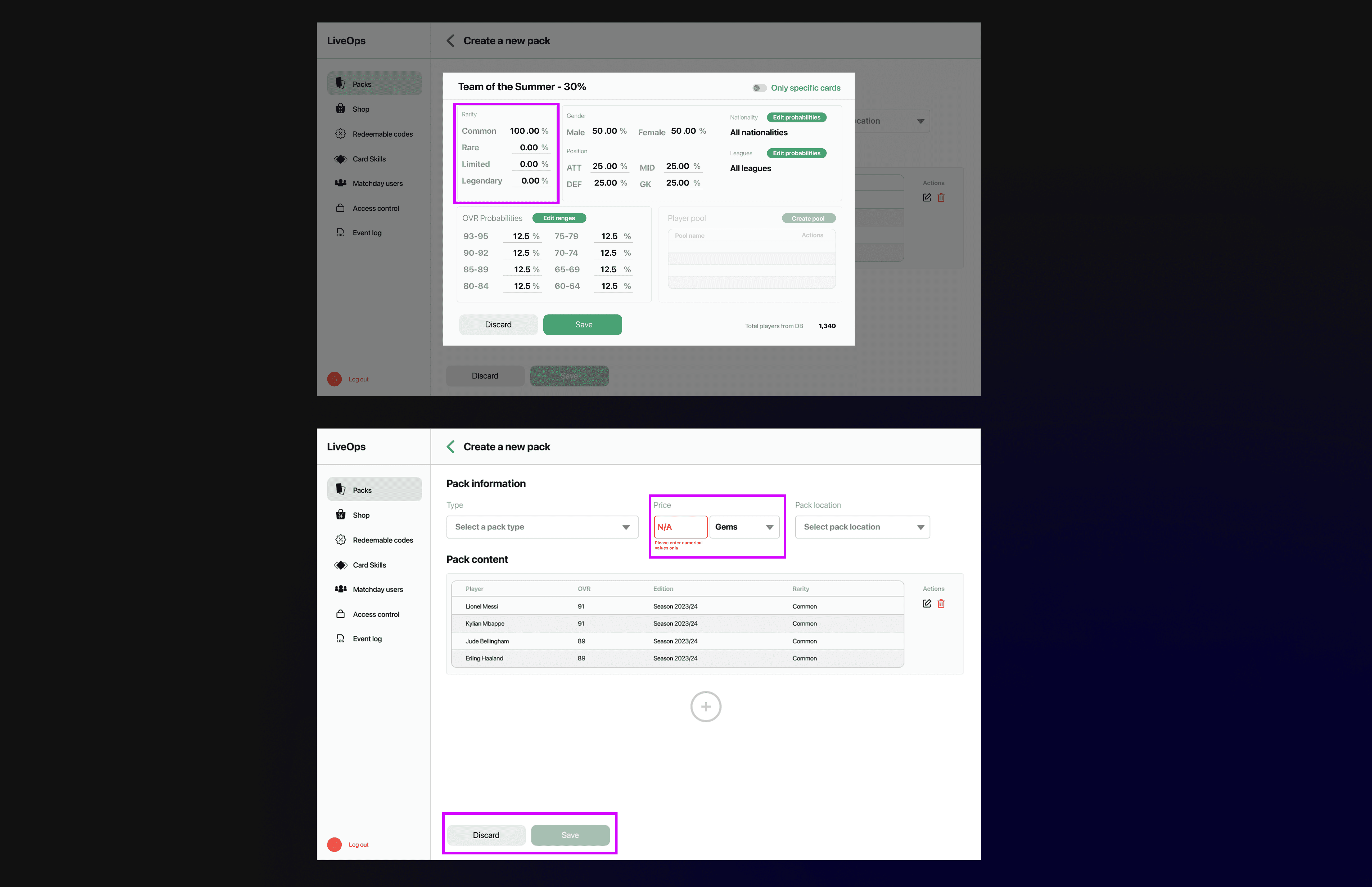
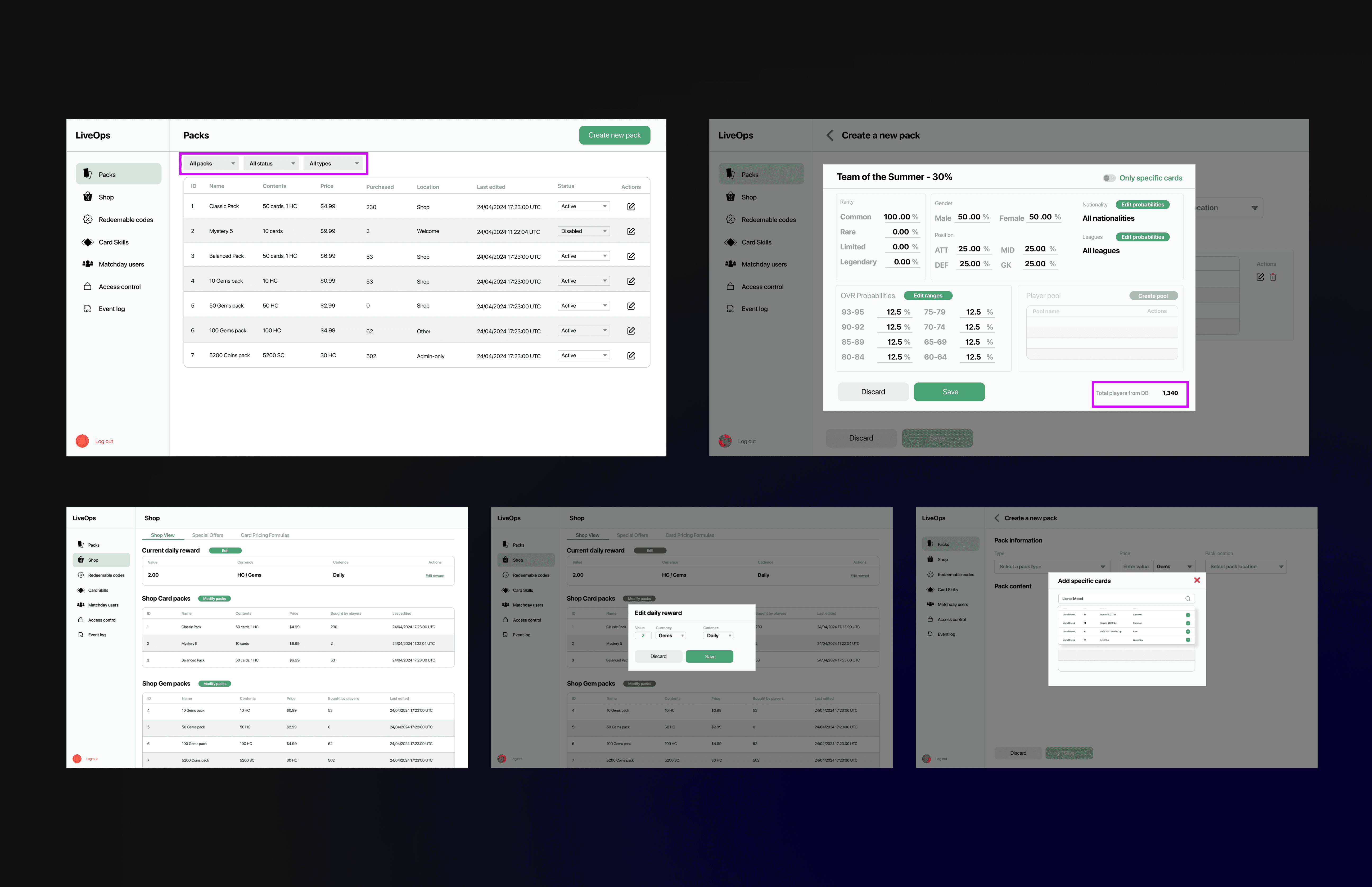
To ensure a seamless transition from design to development, I focused on de-risking the build process by treating documentation as a core part of the design deliverable. By proactively defining how the system should behave under various data conditions, I reduced technical ambiguity and minimized the need for back-and-forth during the implementation phase.
Early Engineering Integration: I involved engineers long before handoff to actively surface technical constraints, edge cases, and open questions, ensuring every design was buildable and performance-optimized.
Comprehensive State Definition: I eliminated guesswork by documenting explicit Default, Empty, Loading, and Error states for every component, providing a predictable blueprint for the UI under different data conditions.
Logical Guardrails & Validation: By establishing clear "if-this-then-that" rules for validation errors and edge cases, I ensured the end-user experience remained consistent and resilient, even during complex data entries.
Data-Driven UI Feedback: I integrated real-time feedback mechanisms, such as probability counters and player database totals, to give operators immediate visibility into the impact of their changes before they hit production.
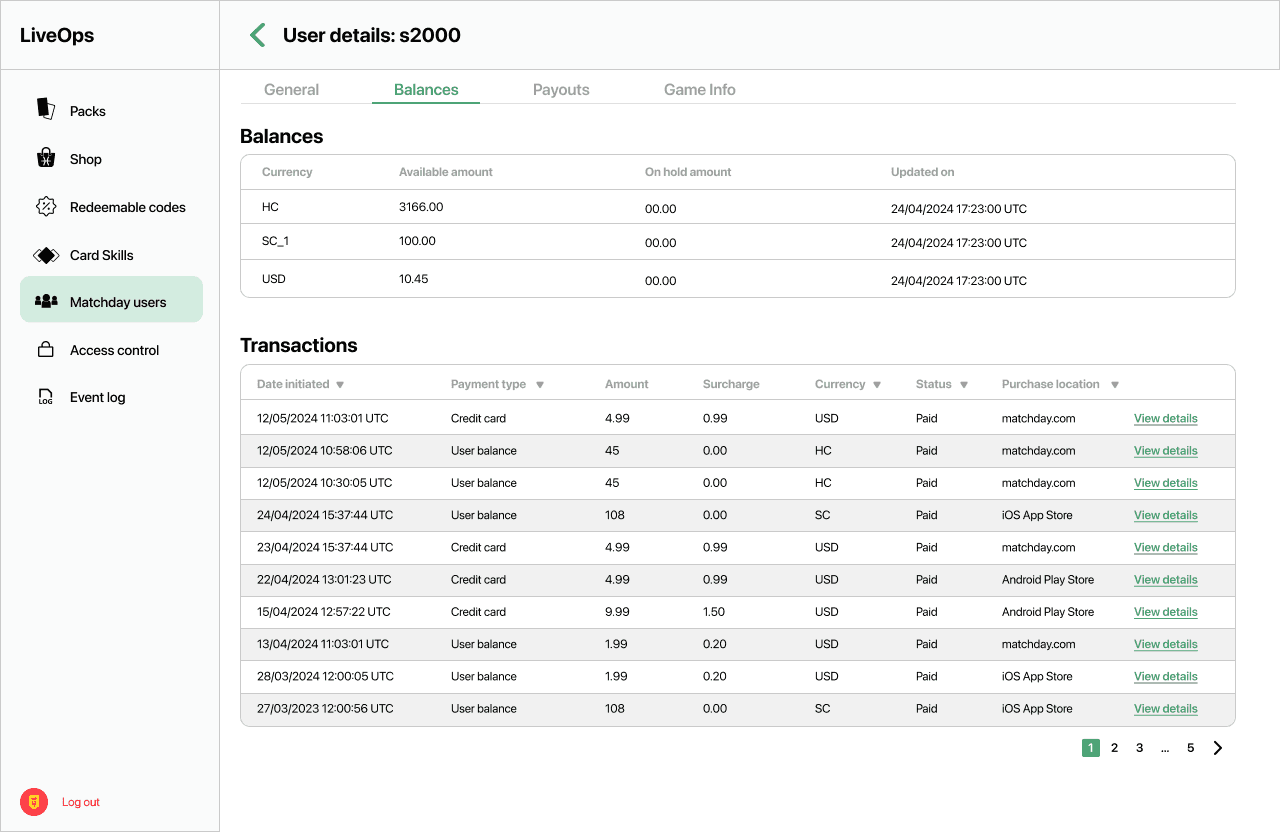
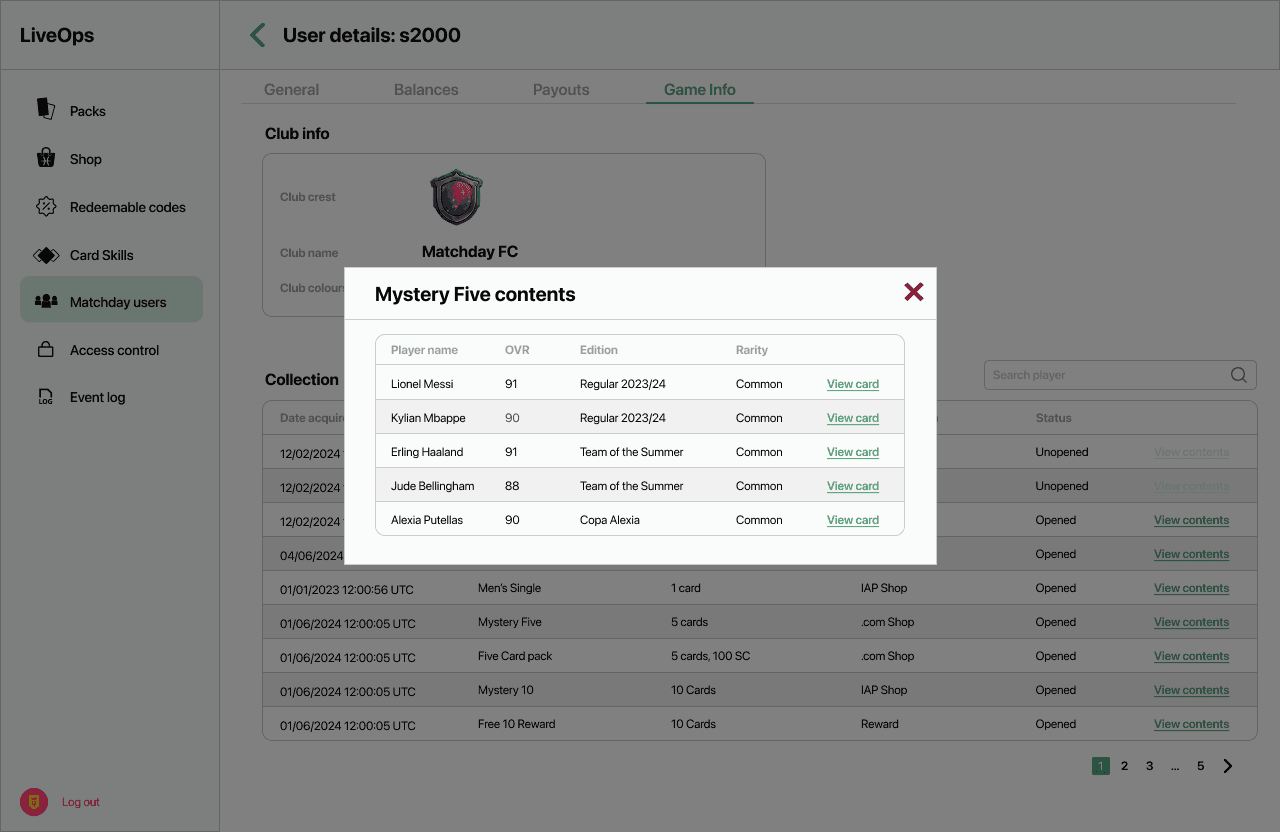
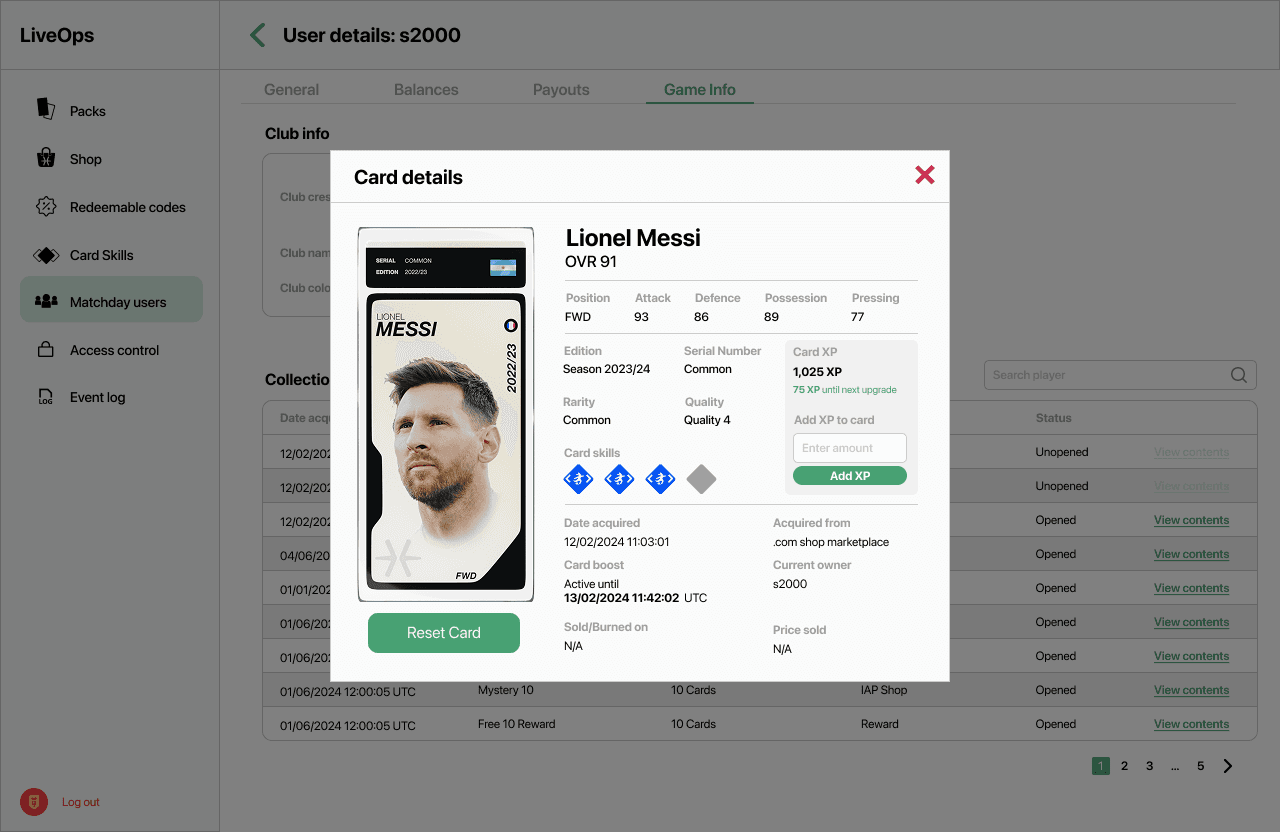
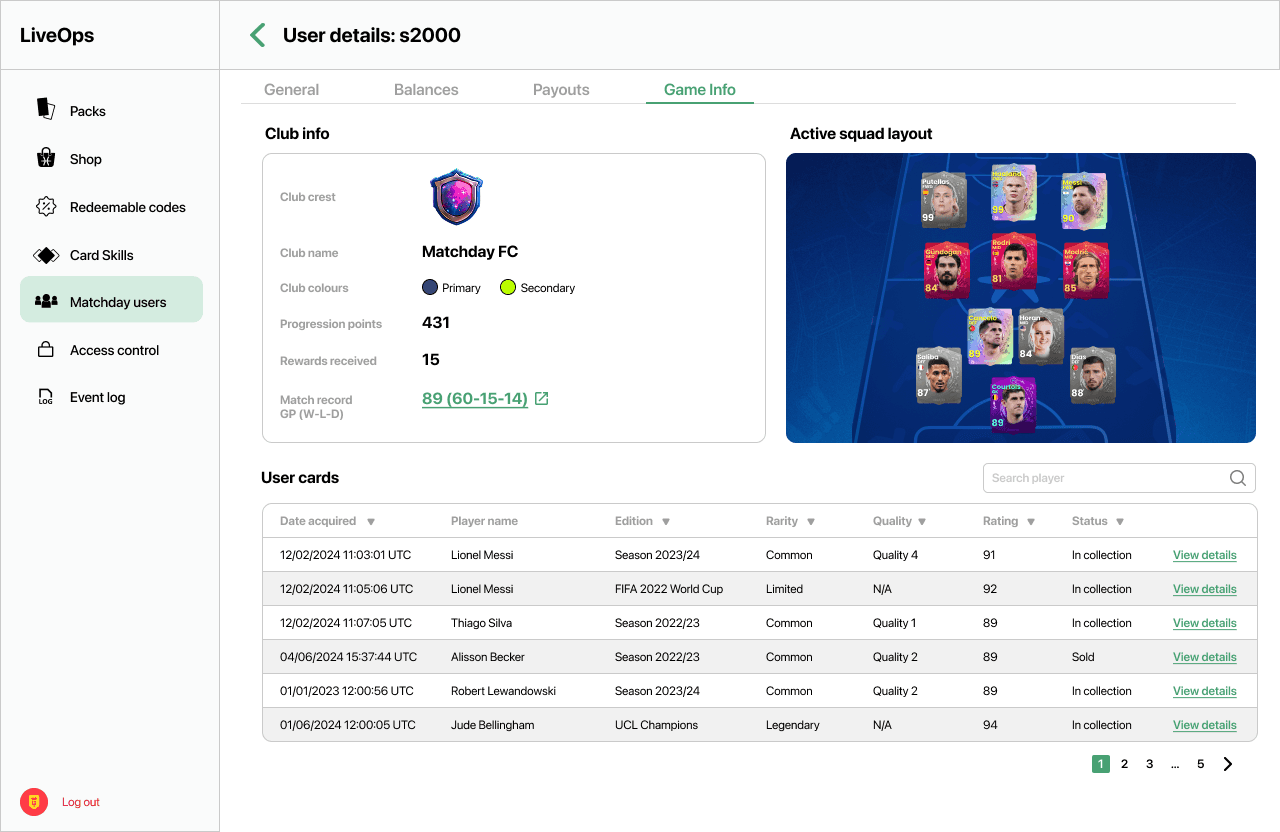
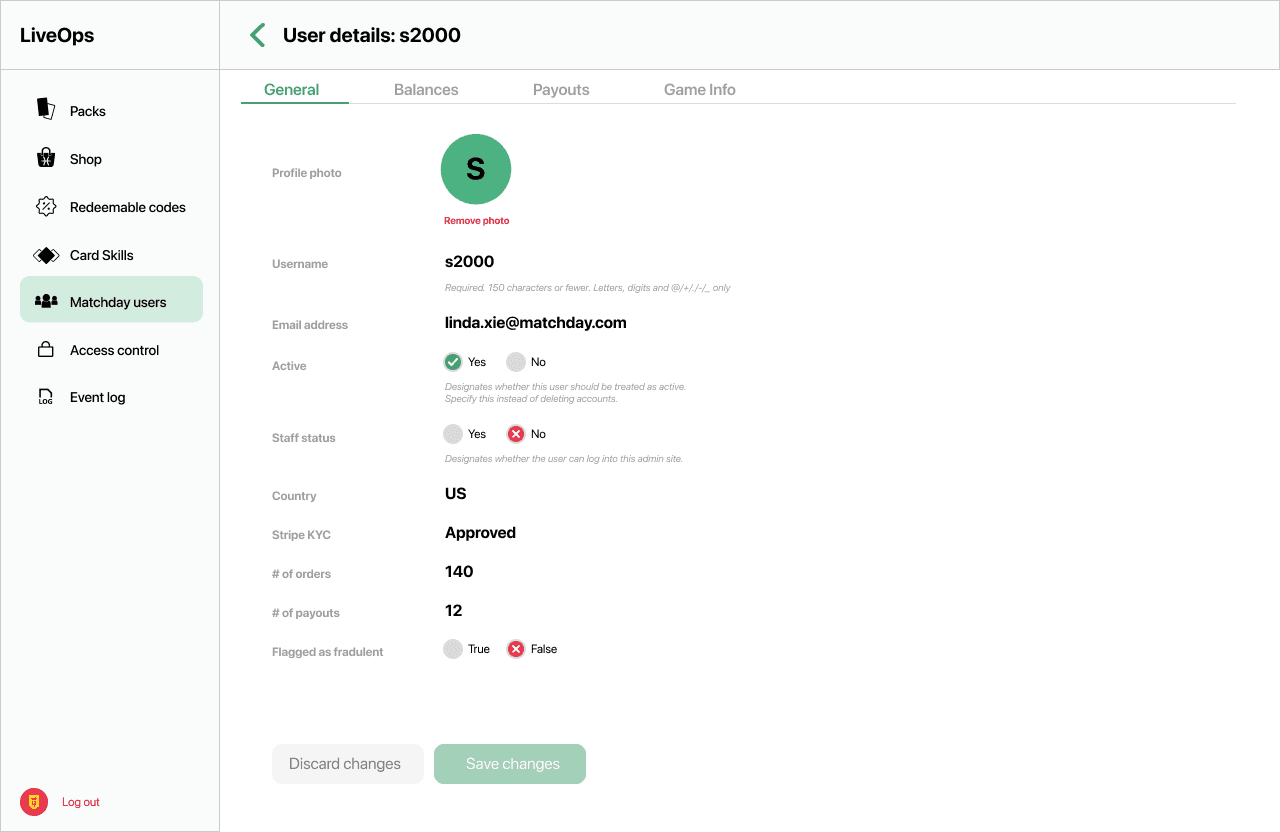
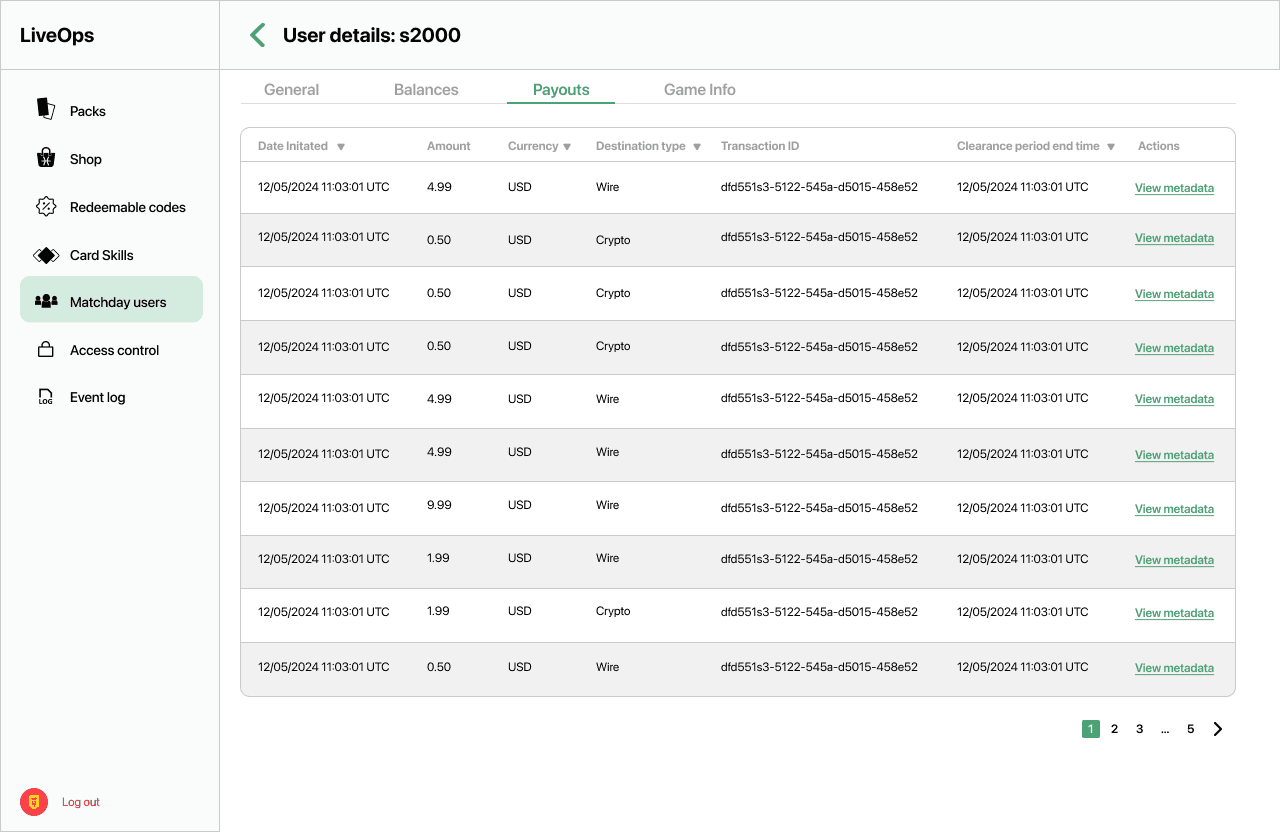
To ensure long-term maintainability and high development velocity, I built the Admin Tool using a modular Atomic Design framework. By aligning the Figma library directly with modern frontend frameworks, I created a seamless handoff process that eliminated visual inconsistencies and significantly reduced the time spent in the QA phase.
Atomic Design Framework: I organized the Figma library by breaking the UI down into its smallest functional parts—Atoms, Molecules, and Organisms—to create a consistent and predictable design language.
Modular Scalability: This structural approach allows engineers to build highly complex interfaces by simply nesting established, pre-tested components, making the system easy to scale as new features are added.
1:1 Engineering Alignment: By mirroring the developer's component-based workflow in my design files, I ensured the final production build was a 1:1 match with the mockups, effectively eliminating "design debt".
Increased Development Velocity: The use of a standardized component library shortened the feedback loop between design and code, allowing the team to move from concept to high-fidelity prototype and into development much faster.